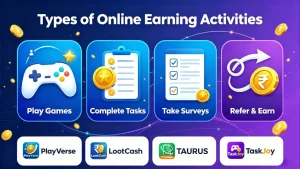
Types of Online Earning Activities
Exploring online earning activities in India works best when you understand how each reward category operates before you start. Most zero-investment platforms group their offers into
Reliable online reward guides help Indian Android users spot zero-investment rules, fix missing task credits, and trace delayed UPI transfers without falling for fake payout promises. This archive organizes our practical tutorials, safety checklists, and platform breakdowns into clear topic hubs so you can find answers fast.
Most reward issues happen when users skip permission checks or misunderstand how third-party tracking works on mobile networks. Instead of repeating generic claims, each guide below focuses on real Android settings, transparent platform rules, and factual payment steps.
If you are checking Taurus App, PlayVerse App, Task Joy, or LootCash H5, start with these core walkthroughs covering account setup, rules verification, and common pitfalls:
How to Verify Legit Earning Apps Without Deposit: Check public terms, minimum redemption limits, and zero-investment rules across Taurus App, PlayVerse App, Task Joy, and LootCash H5 before installing.
Refer and Earn App Rules and Tracking Guide: Understand valid invite conditions, device-binding limits, and why referral rewards stay pending on Android smartphones.
Android APK vs H5 Web Access Comparison: Compare storage usage, mobile data consumption, and browser permissions when using native apps versus web-based LootCash H5.
Diagnosing Stuck UPI Withdrawals and UTR Receipts: Learn how to separate internal platform review delays from payment gateway queues and NPCI bank settlement.

Exploring online earning activities in India works best when you understand how each reward category operates before you start. Most zero-investment platforms group their offers into
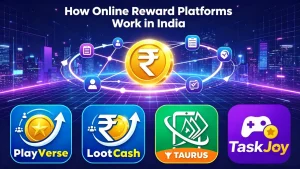
Understanding how online reward platforms work in India comes down to one simple business model: mobile advertisers pay platforms to bring in real users, and those
Use the directory below to filter our earning app guides by your exact question or technical issue:
Step-by-step manuals explaining no-deposit task structures, realistic coin-to-rupee conversion mechanics, and beginner setup rules.
Detailed breakdowns of offerwall attribution, ad-tracking cookies, and why Private DNS ad blockers stop task completion signals.
Practical checklists for reviewing Google Play Store permission pop-ups, protecting UPI IDs, and avoiding unnecessary KYC uploads.
Structured technical profiles documenting the interface format and public rules of Taurus App, PlayVerse App, Task Joy, and LootCash H5.
Before reaching out to app support, match your in-app status label against this diagnostic table to identify the likely technical cause:
| What It Means | Common Android Cause | Recommended Next Step | |
| Not Tracked | The advertiser did not record your task start or install. | Private DNS ad blocker active or Jio/Airtel signal dropped mid-redirect. | Disable ad blockers and avoid switching networks during task setup. |
| Pending | Task or payout is queued for manual or automated audit. | Platform is verifying referral validity or batching payment gateway transfers. | Wait for the stated audit window before submitting duplicate requests. |
| Rejected | Activity failed the platform or offerwall validation rules. | App was previously installed on the same Android device or VPN was active. | Review offerwall terms; only new, first-time device installs qualify. |
| Not Credited | Payout shows processed in-app, but bank balance is unchanged. | Payment gateway queue delay or bank NPCI settlement lag. | Check payout history for a 12-digit UTR number to verify bank transfer. |
We update our guides whenever Android permission policies, UPI tracking steps, or public platform rules change. Any unverified platform rule is clearly marked until confirmed.
Private DNS filters and browser ad blockers often block the tracking links used by offerwalls. When that link is blocked, the platform cannot confirm you completed the task.
No. All guides on this site cover strictly zero-investment platforms. If any app demands an upfront deposit or VIP upgrade fee to unlock withdrawals, treat it as a high-risk warning sign.